

School Management System
School Management System: How SabinoEdu Helps Schools Manage Daily Activities
Looking for a school management system that helps your school handle student registration, attendance, results, lesson notes and lesson planning? SabinoEdu is a digital school management application designed to bring important school activities together in one place.
Get SabinoEdu on Google PlayManaging a school involves more than teaching lessons. School owners, administrators and teachers also need to organise student records, monitor attendance, calculate examination results, prepare lesson materials and keep academic information up to date.
When these tasks are handled separately, they can take valuable time and make it harder to keep records organised. A school management system can help bring these responsibilities into a more coordinated digital workflow.
SabinoEdu provides digital tools for several of these everyday activities, helping schools manage essential academic and administrative tasks through an application.
What Is a School Management System?
A school management system is a digital platform that helps schools organise administrative and academic activities. Depending on the software, it may support student registration, attendance tracking, examination results, teacher assignments, lesson planning and academic record management.
Instead of relying entirely on separate paper records and manual calculations, schools can use school management software to keep important information organised and make everyday processes easier to manage.
For schools in Nigeria, choosing a suitable school management system means considering the school’s size, academic structure, teachers’ needs, student records and available budget.
SabinoEdu is one option for schools looking to manage key school activities digitally.
What Is SabinoEdu?
SabinoEdu is a digital school management application designed to support school administration, classroom organisation and academic record management. Its features include student registration, attendance, result management, teacher-to-class assignments, and lesson notes and lesson plans using Sabino AI.
The application is intended for schools that want to manage important academic activities in a more organised way. Schools with primary and secondary sections can use the stated school-wide pricing plan, rather than treating each section as a separate subscription under that plan.
SabinoEdu also supports student self-registration, alongside registration carried out by the school. This gives schools another way to organise the student enrolment process.
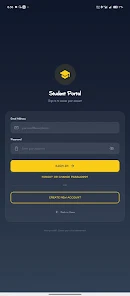
SabinoEdu student portal interface.
Explore SabinoEdu on Google PlayKey Features of the SabinoEdu School Management System
A useful school management system should support the real tasks that school owners, administrators and teachers carry out every day. Here are some of the activities SabinoEdu is designed to support.
Student Registration
Schools can register students through the application. SabinoEdu also supports student self-registration, giving schools an additional option for organising enrolment.
Attendance Management
Use digital attendance tools to support the process of recording and monitoring student attendance as part of everyday school administration.
Student Results
SabinoEdu supports school result management, helping teachers and school administrators organise assessment and examination results digitally.
Teacher and Class Assignments
Schools can assign teachers to their respective classes to help organise teaching responsibilities and classroom administration.
Lesson Notes
SabinoEdu supports lesson-note preparation, helping teachers organise teaching materials as part of their instructional workflow.
Lesson Plans with Sabino AI
Sabino AI can help prepare lesson notes and lesson plans using the scheme of work uploaded by the school, giving teachers a starting point for lesson preparation.
How Sabino AI Supports Lesson Notes and Lesson Plans
Preparing lesson notes and lesson plans takes time, especially when teachers have several classes and topics to cover. SabinoEdu includes Sabino AI to help with this process.
According to the described workflow, the school uploads its scheme of work, which Sabino AI can use as a reference when helping prepare lesson notes and lesson plans. This gives teachers a way to begin with materials connected to the school’s planned topics.
Teachers remain responsible for reviewing the output, adding their professional judgement, checking the content and adapting it to their students’ learning needs.
Why this can be useful
- It provides a starting point for lesson preparation.
- It can help teachers organise lesson content around the uploaded scheme of work.
- It brings lesson-planning support into the wider school management workflow.
- It allows teachers to review and adapt generated materials before using them in class.
For schools interested in combining administration tools with AI-supported teaching preparation, this is an important feature to explore.
Student Registration and Teacher-to-Class Assignments
Student records and teacher responsibilities are essential parts of school administration. SabinoEdu supports registration through the school and student self-registration, giving schools options for bringing student information into the application.
The application also allows teachers to be assigned to their classes. Organising these assignments digitally can help a school maintain a clearer structure for classroom responsibilities.
Schools should establish clear procedures for checking registration details, confirming class placements and keeping student information accurate.
How to Get Started with SabinoEdu
If you are considering SabinoEdu for your school, start by reviewing the application and checking whether its available features fit your school’s needs.
- Explore the application. Visit the SabinoEdu listing on Google Play to review the available app information.
- Set up your school’s information. Follow the application’s current onboarding process and enter the relevant school details.
- Organise student records. Review the available student registration options and establish your school’s enrolment process.
- Set up classes and teachers. Assign teachers to their respective classes according to your school’s structure.
- Explore academic features. Review the attendance and result workflows, and upload the school’s scheme of work if you intend to use Sabino AI for lesson preparation.
- Review before full adoption. Check the workflow with the relevant staff and confirm that the application meets your school’s requirements.
Watch the SabinoEdu application demonstration.
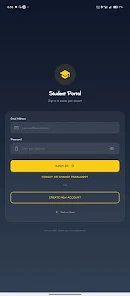
Student portal sign-in screen.
How Much Does SabinoEdu Cost?
Based on the current pricing information provided for this article, SabinoEdu is priced at ₦7,320 for a four-month term. The stated plan covers the whole school, including its primary and secondary sections, rather than charging separately for each section under that plan.
SabinoEdu School-Wide Plan
For four months per term, according to the supplied pricing information.
Designed to cover the school, including primary and secondary sections.
View SabinoEdu on Google PlayBefore subscribing, confirm the current price, subscription duration, included features and any applicable terms through SabinoEdu’s official channels. Prices and plans can change.
Benefits of Using a School Management System
The right school management system can help a school organise information and create more consistent administrative processes. The actual benefits depend on how the application is configured and used by the school.
More organised school records
Digital student registration and academic record workflows can help schools organise information in a structured format.
Support for attendance and results
Digital tools for attendance and result management can support routine academic administration and reduce dependence on disconnected manual processes.
A more structured teaching workflow
Teacher-to-class assignments and lesson-planning tools can help schools coordinate teaching responsibilities and prepare instructional materials.
AI assistance for lesson preparation
Sabino AI can provide a starting point for lesson notes and lesson plans based on the school’s uploaded scheme of work. Teachers should check and adapt the materials before classroom use.
One application for several school activities
SabinoEdu brings several school-related functions into a digital application. Schools can explore the available features and determine how they fit their existing procedures.
How to Choose the Right School Management Software in Nigeria
Before selecting a school management system, school owners and administrators should consider more than the price. A useful evaluation should include the following questions:
- Does the software support the school’s student registration process?
- Can teachers record attendance and manage student results as needed?
- Does it support the school’s class structure and teacher assignments?
- Are lesson planning and other academic tools suitable for the school’s workflow?
- Are the subscription cost, duration and included features clear?
- Can staff learn to use the application, and is appropriate support available?
- How are student records protected, accessed and maintained?
Comparing these factors can help a school determine whether SabinoEdu or another school management solution is the right fit.
Frequently Asked Questions About School Management Systems
What is a school management system?
A school management system is software that helps schools organise activities such as student registration, attendance, results, teacher assignments and other administrative or academic tasks.
What is SabinoEdu used for?
SabinoEdu is a digital school management application that supports student registration, attendance, result management, teacher-to-class assignments, lesson notes and lesson planning with Sabino AI.
Can SabinoEdu help teachers prepare lesson notes and lesson plans?
Yes. SabinoEdu includes Sabino AI, which can help prepare lesson notes and lesson plans using the scheme of work uploaded by the school. Teachers should review and adapt the generated materials before using them.
Can students register themselves on SabinoEdu?
SabinoEdu supports student self-registration as well as registration carried out by the school. Schools should follow the application’s current registration process.
Can teachers be assigned to their classes?
Yes. SabinoEdu supports assigning teachers to their respective classes to help schools organise teaching responsibilities.
How much does SabinoEdu cost?
The pricing information supplied for this article states ₦7,320 for a four-month term, covering the whole school, including primary and secondary sections. Confirm the latest price and terms before subscribing.
Is SabinoEdu suitable for primary and secondary schools?
The supplied pricing information describes a plan that covers the whole school, including primary and secondary sections. Schools should confirm that the application’s available features fit their specific academic structure and requirements.
Where can I find SabinoEdu?
You can view the SabinoEdu application on Google Play using the official listing linked below.
Explore SabinoEdu for Your School
Finding the right school management system starts with understanding your school’s needs. From student registration and attendance to results, teacher assignments and AI-supported lesson planning, SabinoEdu brings several school activities into one digital application.
Review the available features, confirm the current subscription terms and decide whether the application fits your school’s daily workflow.
Ready to Explore SabinoEdu?
Visit the official Google Play listing to learn more about the application.
Explore SabinoEduPricing and feature descriptions in this article are based on the information available when it was prepared. Please confirm current details through SabinoEdu’s official listing or service.